


Nowadays, it is expected that a network device includes programmable input/output (I/O) ports. These offer significant convenience and efficiency during installation in a wide range of scenarios.
How do Teltonika routers take advantage of I/O capabilities? Read on to find out everything!
Industrial routers
Industrial routers are used in scenarios where reliability, durability, and specialized functions are essential.
Here are a few examples of typical industrial router applications:
-
- energy sector,
- manufacturing,
- automation,
- transportation,
- construction,
- agriculture,
- disaster management,
- and last but not least, CCTV and IT networks – especially within IoT systems.
On most Teltonika routers, the I/O connector is not visibly apparent — but that doesn’t mean the device lacks this feature. Engineers have integrated it into the power connector, enabling advanced control and monitoring capabilities. This is unfortunately an underrated but extremely useful feature: a digital input and output (I/O) built into the power connector.
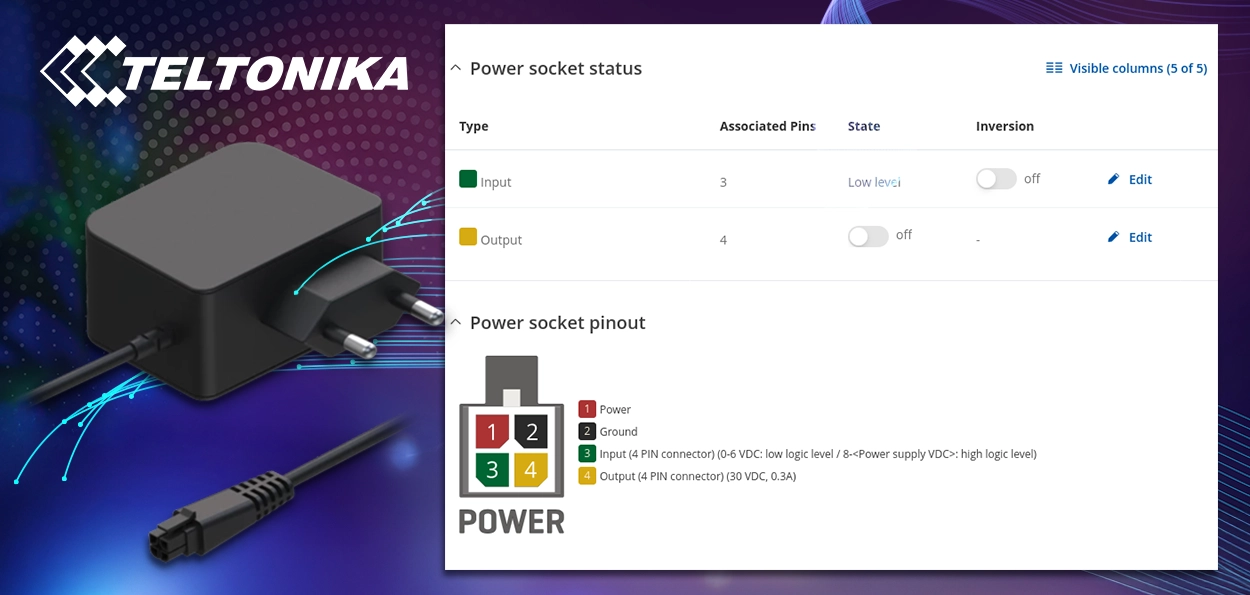
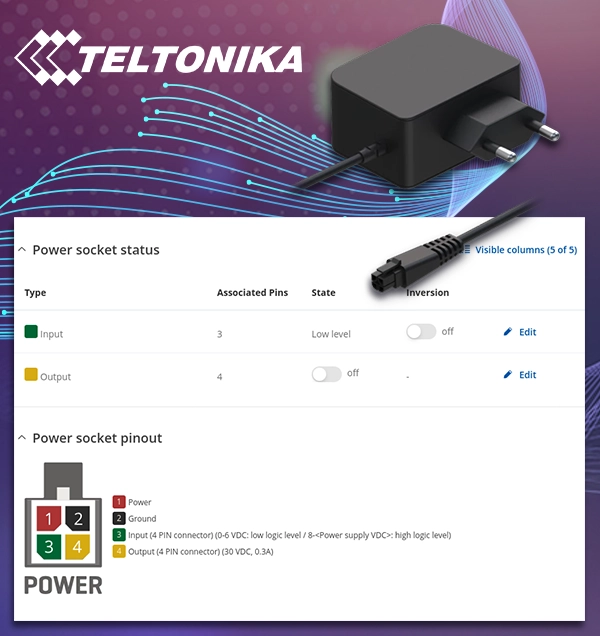
I/O Functionality via the Power Connector on Teltonika Routers
Part of the 4-pin connector on Teltonika routers is used not only for power supply, but also as a digital input or output. This means the router can detect or control external devices — all without any additional hardware modules, directly through the router itself.
What can the I/O Port be used for?
The digital I/O port enables a variety of useful applications in industrial, agricultural, CCTV, or even security environments.
1. As Input (DI – Digital Input):
-
- Door open detection: A door contact sensor can detect if a door is opened or closed.
- Motion detection: External sensors can signal motion detection.
- Emergency or panic button detection: When the button is pressed, the router can automatically send an alert or SMS.
2. As Output (DO – Digital Output):
-
- Activating alarms or sirens based on specific events.
- Relay control: For switching low-voltage devices such as locks, lights, pumps, or other equipment.
Why is this a smart solution?
Integrated solution: No separate control module is needed – the router alone can receive and send I/O signals.
Automation: Rules can be easily configured via Teltonika’s web interface – the RMS (Remote Management System) Cloud – or through SMS functions (such as “Input Trigger,” “Output Control,” and SMS commands).
Cost-effective: A single device is sufficient for remote monitoring, communication, and control.
Alerts and notifications: The router can send alerts via email, SMS, MQTT, or HTTP POST when an event occurs.
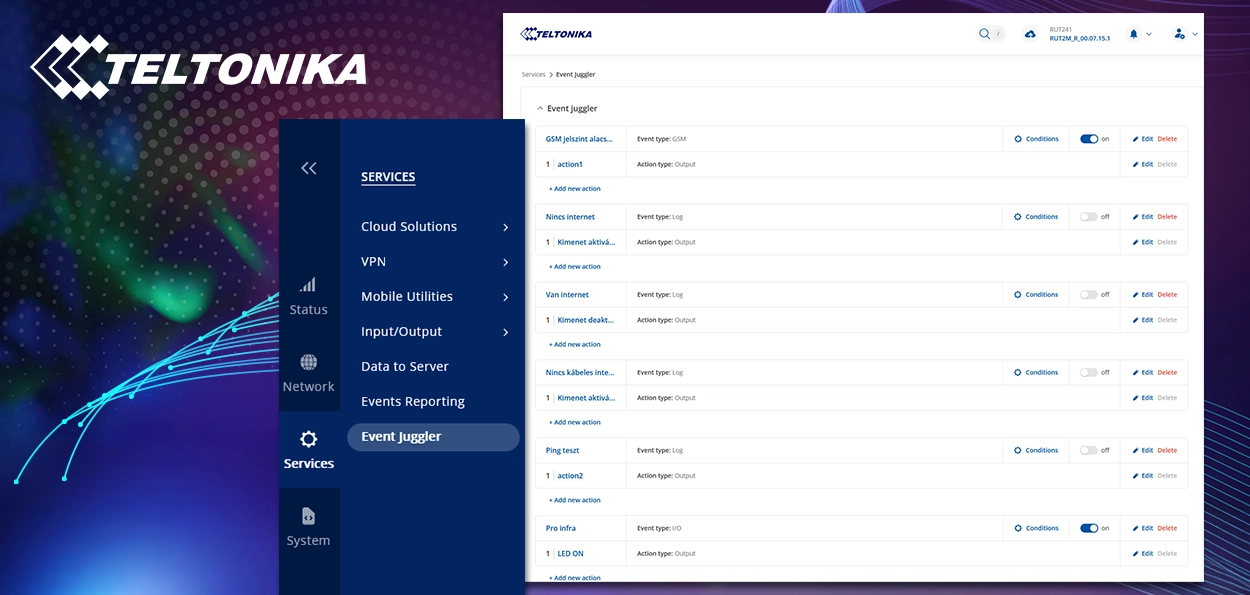
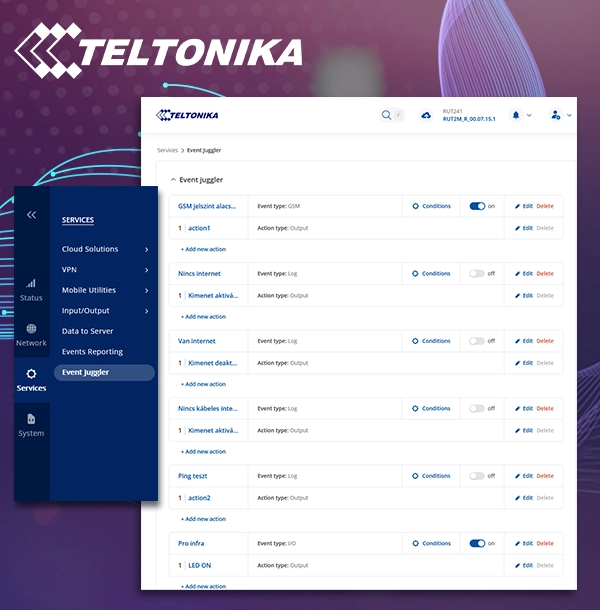
Teltonika Routers in Practice: How to Use the I/O Port During Installation
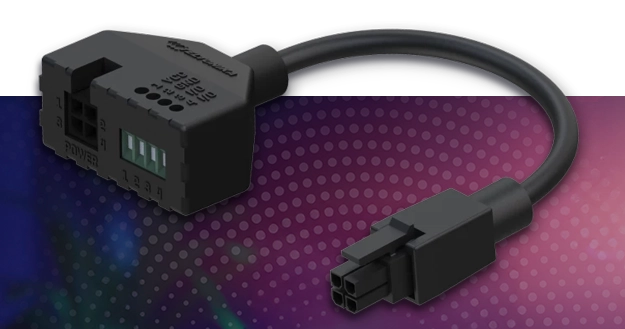
Wiring – In addition to the power connector supplied with the router, the following accessory module is required: the Teltonika PR5MEC21 4-pin I/O power supply adapter, which must be connected between the power source and the router.
The router’s power connector typically operates at 9 V DC. However, if a 12 V DC power supply is needed, the following accessory is required: Teltonika PR2FK20M – Power cable with 4-pin terminal block. This allows the router to be used with any power supply and ensures compatibility with higher voltage as well.
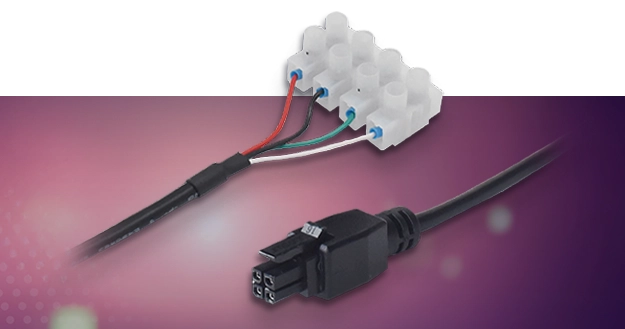
Testing
The I/O status can be monitored in real time via the web interface, the RMS Cloud platform, or the mobile app. The functionality can be tested using external devices such as push buttons, relays, or a Paradox Pro motion sensor. Example of a possible implementation – remote pump control: The input monitors whether the tank is full. If it is, the router automatically turns off the pump (via the output) and sends an SMS notification to the operator.
Summary: What Do Teltonika Routers with I/O Functionality Offer?
The I/O ports integrated into the power connector of Teltonika routers provide excellent opportunities for automation, control, and remote monitoring. Their use is simple, cost-effective, and offers significant flexibility for integrating various industrial and security systems.
With a single device, network connectivity, control, and alerting can be managed — saving time, money, and space.
If you need further information or would like to request a quote, please contact your Sales Representative or our Technical Team at the following email address: muszaki@powerbizt.hu.